One America Financial
⏱ 7 min read
One America's First Mobile App
Led research on One America's first mobile app for a retirement-age customer base at risk of churning to competitors. App store review analysis revealed accessibility was a competitive differentiator. Community insights from 60+ users drove a 21% increase in users, lifted satisfaction from 52% to 74%, and earned a 4.4-star App Store rating within 90 days.
Research Approach
App Store Review Analysis + Usability Testing
200+ app store reviews analyzed to surface real user pain. Validated insights through moderated usability sessions with 60+ participants in the target demographic.
Key Insight
Users weren't looking for a new dashboard. They wanted to manage their money from their phone.
- +21%
- Increase in total users
- 52% to 74%
- Satisfaction score at launch
- 4.4★
- App Store rating within 90 days
- 5 months
- From kickoff to launch
- My Role
- UX Researcher
- Team
- 4 Product Designers
- 3 Researchers
- 4 Software Engineers
- Timeline
- 5 Months
- Tools
- Figma
- Miro
- App Store Analysis
- User Surveys
- Business
- Financial Services
- B2C
Context
One America Financial had no mobile presence despite a customer base that increasingly expected one. Survey data was pointing to a real retention problem. Users were openly threatening to move to competitors that already offered mobile apps. The company needed to understand what would actually serve this demographic before entering the mobile space. Roughly half of their users were over 60, so research had to be grounded in the needs of that specific population, not assumptions about what a mobile app should do.
The Challenge
Research what would serve One America's retirement-age users on mobile. Understand their actual workflows, accessibility needs, and the friction driving them toward competitors. Validate assumptions about what a mobile-first experience should prioritize for this demographic.
The Solution
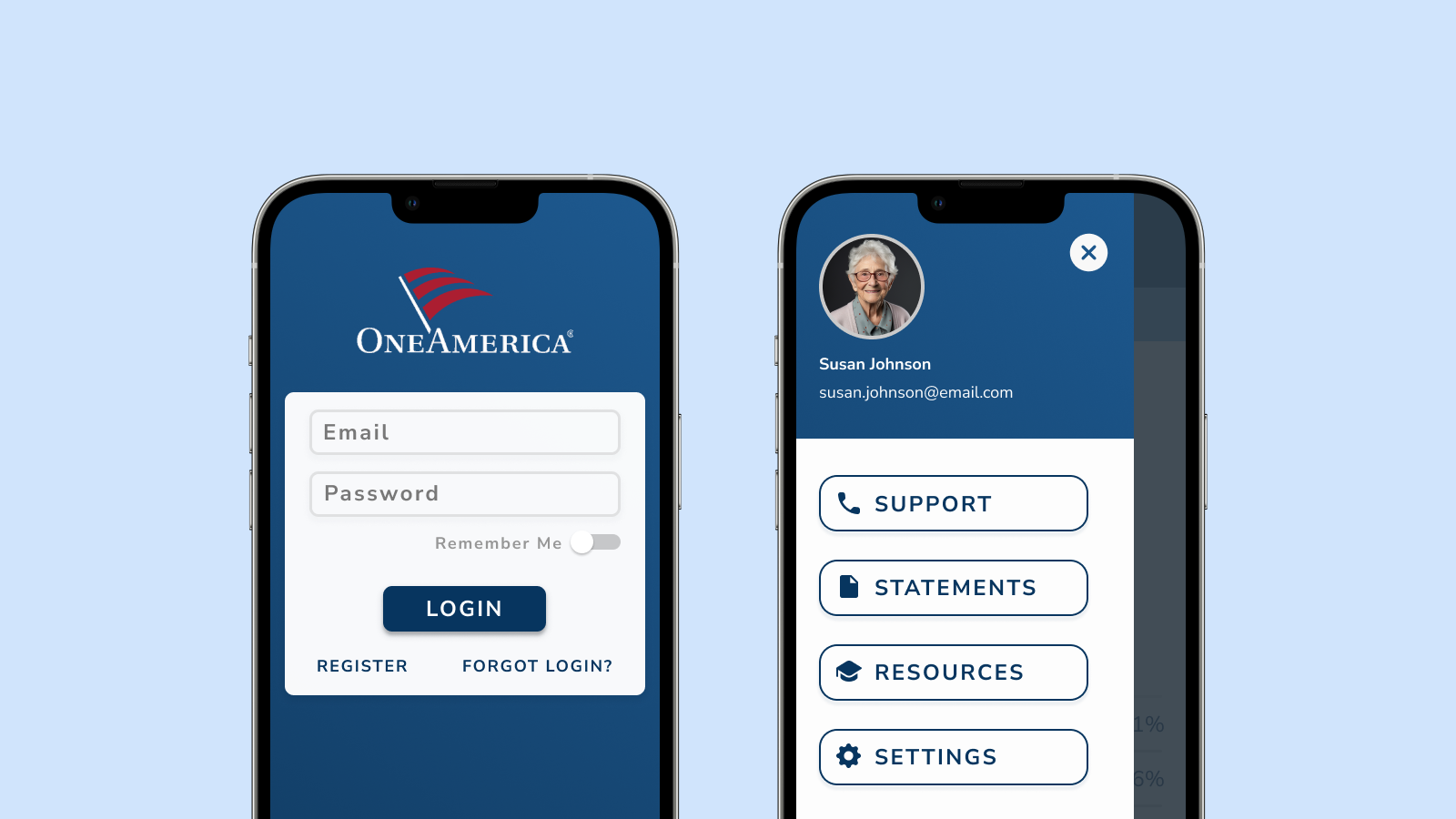
Community-centered research using app store reviews and direct user interviews that surfaced accessibility as the single biggest unmet need. Research findings directly shaped product decisions: full investment management on mobile (not read-only), large default text with scaling options, and simplified navigation built on real user workflows instead of assumptions.
Problem
Approximately half of One America's users were over 60. They were comfortable managing their finances but frustrated by complex interfaces, small text, and the friction of logging into a web portal every time they wanted to check their investments. The lack of a mobile app was not just a missing feature. It was the single most-cited reason users said they were leaving.
Constraint
The retention risk
Pre-launch survey data made the business case unavoidable. A measurable segment of users said they would switch to a competitor if a mobile app was not available. One America was not losing users to a better product. They were losing them to the absence of one. Understanding what would actually solve that problem was the research mandate.
- •No mobile app while every major competitor had established mobile products
- •Complex web portal frustrated users who just wanted to check a balance or adjust a contribution
- •Over half of users were 60+ with accessibility needs the existing experience did not address
- •Survey data showed active intent to switch providers
- •No research on what this specific demographic actually needed from a mobile app
Research Approach
I was one of three researchers working alongside four product designers and four engineers. I personally owned the research on the 60+ user segment, conducting usability sessions and synthesizing competitive landscape data. With that many people involved, I was deliberate about where to focus. I zeroed in on the workflows users described as friction and the accessibility barriers no competitor was addressing.
- 1
Research
Competitor analysis via app store reviews and user survey synthesis
- 2
Define
Accessibility requirements and core jobs-to-be-done for 60+ users
- 3
Synthesize
Map user insights to product priorities and design constraints
- 4
Test
Moderated usability sessions with retirement-age participants
- 5
Validate
Post-launch user feedback collection and satisfaction tracking

Research Insight 1: App Store Reviews as a Research Channel
I ran a competitor analysis of financial mobile apps using app store reviews as my primary research source, surfacing real, unfiltered user pain at zero recruiting cost. This gave me a large volume of unsolicited, unfiltered feedback from real users about what was and was not working across the competitive landscape, without needing to schedule formal research sessions.
Rather than making assumptions about what financial app features matter, I wanted to understand where users were already frustrated with existing solutions. App store reviews are specific in a way that surveys often are not. People describe the exact thing that broke down for them, in their own words, when they were emotional enough to leave a review.
Key Insight
What I discovered
Users consistently flagged two issues across competing apps. First, the absence of visible support options like in-app chat or a support phone number. Second, no accessibility controls for larger text. Font size came up in 60+ user reviews more than almost any other complaint. This validated that accessibility was a competitive differentiator no competitor was offering, not a compliance checkbox to handle at the end.
Research Insight 2: Full Investment Management Mattered Most
In pre-launch surveys, I asked users what they actually wanted to do on a mobile app. Full investment contribution management came up repeatedly, a workflow product had originally planned to cut from V1 because it seemed complex. This was the core workflow that users had only been able to complete on desktop, and the one most frequently cited as friction.
If the mobile app only surfaced read-only account information, it would not meaningfully reduce the pain driving churn. Users did not want a dashboard. They wanted to manage their money from their phone. The research was clear: the mobile app needed parity with the web portal on the workflows that mattered most, not a feature-limited experience.
Design Decision
Why this research finding mattered
Including full contribution management on mobile removed the single biggest blocker between users and their money. It required close collaboration with engineering to map mobile flows to the same data layer as the web portal, but the research insight paid off directly in the satisfaction data. The +22 point satisfaction jump from testing to launch was tied to this feature more than any other because the research had validated it was what users actually needed.
Research Insights Applied
Research findings were translated into product priorities. Every decision was grounded in the same question: what do 60+ users managing their retirement savings actually need to feel confident? The research answered that. Accessibility came first because it was the most cited barrier. Full contribution management came next because users said they needed it. The visual approach prioritized calm and clarity because user interviews revealed that cognitive load was a key stressor.
Color: Trust Through Familiarity
User research revealed that existing customers felt most at ease with One America's established brand blue. Research findings showed that maintaining visual consistency helped users feel oriented in a new product rather than disoriented by unfamiliar visuals. This was a key finding for a demographic that was already managing change by adopting a new platform.
Typography: Research into User Accessibility
Research data made it clear that large default font sizes with in-app scaling options were non-negotiable. This was the single most-requested feature in competitor app store reviews. User interviews confirmed that most people never find system accessibility settings. This research insight led to a decision: design a default that works for a 68-year-old so it works out of the box for everyone, with additional controls for those who need them.
Information Architecture: Reducing Cognitive Load
Research interviews revealed that financial information density on a mobile screen could be overwhelming for users already anxious about making the wrong decision. User feedback led to an accordion-based information structure, letting users expand only the sections relevant to them. This reduced cognitive load on the highest-stakes screens in the app based on direct user needs, not assumptions.
Impact
The app launched in five months and immediately stopped the churn risk flagged in pre-launch surveys. Users who had threatened to leave stayed, and brought others. Within 90 days, the app had earned a 4.4-star App Store rating, grown total users by 21%, and lifted satisfaction 22 points from testing to launch. The research findings that guided accessibility-first design turned out to be the features users praised most often in their reviews.
Reflection
This project reinforced something I now apply to every engagement: research with the most constrained user produces insights that benefit everyone. The research conducted with the 60+ demographic, including accessibility barriers, information density preferences, and workflow priorities, produced a product better for users of every age. Accessibility was not a compliance requirement. It was the answer to a research question about what this community actually needed.
What I Would Do Differently
I would have brought 60+ users into live usability sessions earlier. The app store analysis gave strong directional signal, but it cannot replace watching someone in that demographic navigate an actual prototype. Several friction points we caught during testing could have been resolved a full sprint earlier. I also would have pushed for a prototype review with the engineering team before finalizing the contribution management flows. We caught a data-layer assumption late that added a week to the timeline. Catching it in research review would have been cheaper.
“I just want to see my balance and make sure everything looks right. That's it. Why has no one built that for us before?”